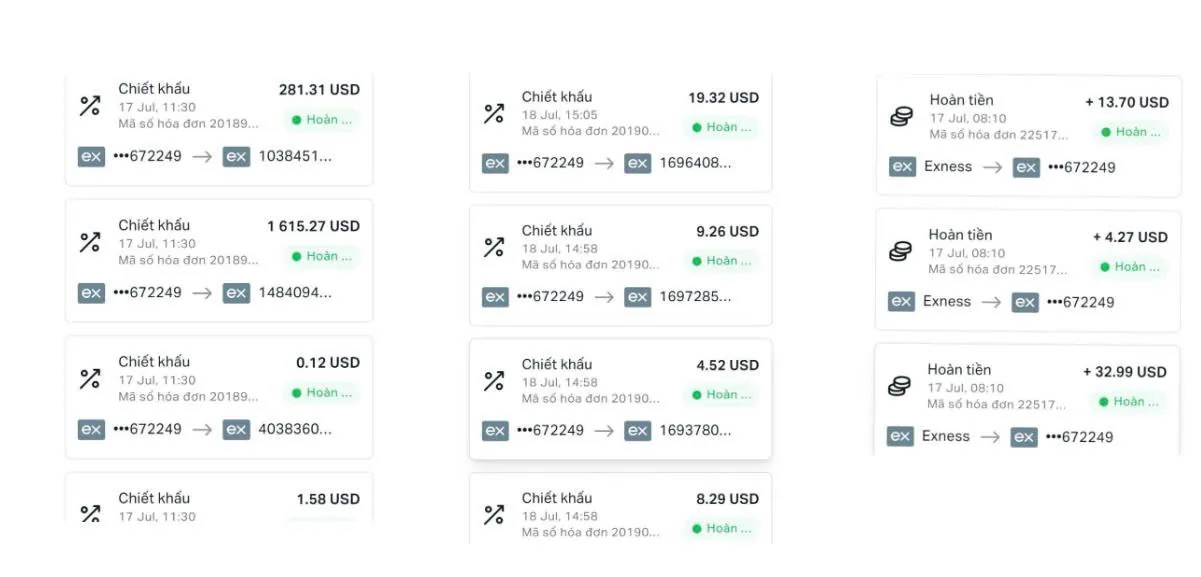
Bitget Backcom
Bitget backcom returns part of a trader's fees through an IB. How the rebate works, how to open or reopen an account linked to an IB, and how to check it.
For crypto traders, the fee on a single trade is often small enough to ignore. Yet for anyone trading every day or in large size, a month of fees can eat a noticeable share of the profit. That is why many traders on Bitget look at backcom, a way of getting part of the fees back through one of the exchange's referring partners.
The sections that follow explain how backcom works at Bitget and what a trader has to do so the account is linked to a partner from the start. Traders who already hold a Bitget account are covered separately, because the process is quite different.
What backcom means
Backcom is short for "back commission", meaning commission paid back to the person who trades. Both forex brokers and crypto exchanges run schemes of this kind, and they always work through an IB (introducing broker), an individual or company that refers clients to the platform. The platform passes part of the fees it collects to the IB, and an IB with a rebate policy shares part of that amount with the trader.
At Bitget, backcom is the share of trading fees returned to a trader through the IB the account was linked to at sign-up. The general idea, including who pays whom, is covered in what is backcom. To be clear, BackcomHub does not currently run a rebate programme with Bitget, so the steps below describe the general process for any Bitget IB a trader chooses.
How the Bitget rebate works
The mechanism is fairly simple, and four features are worth knowing before signing up:
- Paid through an IB at an agreed rate. The rebate is a percentage of trading fees, at the rate the IB has promised.
- Trades are not affected. Linking an IB does not change prices, execution speed or account security.
- Winning and losing trades both count. The rebate is based on fees paid, not on the outcome, so a losing trade generates a rebate just like a winning one.
- The money is free to use. Traders can put the rebate back into their trading capital or withdraw it at any time.
As a result, backcom suits beginners and professionals alike. A hypothetical calculation makes it concrete: if a month's fees total 100 USD and the IB returns 30%, the trader gets 30 USD back and the real cost falls to 70 USD. The actual rate has to come from the chosen IB, because each IB has its own agreement.
Where the benefit lies
The clearest benefit is a lower total fee bill, and the saving grows with volume, so active traders gain more than those placing a few trades a month. Because backcom never touches orders or prices and is paid even in a losing month, traders give up nothing to receive it. Even so, the rebate only reduces the cost of trades already planned, and it is never a reason to place extra ones.
Opening a new Bitget account through an IB
This is the easiest case, because the account does not yet exist and can be linked to an IB the moment it is created. The process takes five steps:
- Open the IB's sign-up link. The trader uses the chosen IB's Bitget referral link instead of typing the exchange's address.
- Click Sign up. The button sits on the Bitget home page that the link opens.
- Enter an email and password. Arriving through the IB's link usually fills in the referral code automatically. Traders who go to Bitget directly need to type the IB's referral code into that field themselves.
- Finish registration and verification. The trader completes the remaining steps, including identity verification (KYC), which means submitting an ID document for the exchange to check.
- Deposit and trade. From the first filled order, fees on the account start counting towards the rebate at the rate the IB agreed.
Of these five steps, step 3 decides everything. If the referral field is left blank or filled in wrongly, the account is treated as an ordinary one and sits outside every IB's programme.
Traders who already have a Bitget account
This case is harder, because under the exchange's rules backcom only applies to new accounts linked to an IB. In other words, an existing Bitget account cannot have a referral code added later. To receive a rebate, the trader has to close the old account and register again from scratch, in three steps:
- Withdraw all funds. The trader logs in to the old account and moves the entire balance to another wallet.
- Close the account. On the personal page, the trader clicks the profile icon, selects the user name, then chooses Close account and follows the confirmation steps.
- Open a new account. The trader then registers again using the five steps above, with the IB's link or code.
Once the new account is verified and funded, trades from that point on start generating backcom. Because closing an account cannot be undone, traders should double-check that the old wallet holds no balance and no open positions.
Checking the rebate
A rebate only means something when it matches the fees actually paid, so traders still need to check it. The simple method is to take the total fees from Bitget's order history and compare them with what the IB reports as rebated for the same period; if the ratio strays far from the promised rate, the trader has grounds to question the IB.
For forex brokers, BackcomHub pays rebates from a public table, for example Exness rebates and Vantage rebates. BackcomHub is an IB of the brokers in that table and receives IB commission from them, and questions can be sent by Telegram or by the email listed on the home page.
Frequently asked questions
Is Bitget backcom paid daily or monthly?
The payment cycle is set by the IB, which usually collects rebates and pays them out periodically. Fees are deducted as soon as an order fills, while the rebate is credited afterwards, so trading is never interrupted. Traders should ask the IB for its exact schedule before signing up.
Is there a volume limit?
A rebate calculated as a percentage of fees usually has no volume cap. The more a trader trades, the larger the total fees, and the rebate rises with them. Even so, the exact terms are set by each IB, so it is worth confirming.
How can a trader tell the account is linked to an IB?
Registering with the correct referral link or code and completing verification links the account to that IB automatically. Once funds are deposited and orders fill, the system records the rebate. If in doubt, the trader can ask the IB to confirm the account appears in its list of referred clients.
Sources
- Bitget, official website (fee schedule, registration, account closure): https://www.bitget.com/
- DCtoptrade (photo, cover image): https://dctoptrade.vn/