Uploading a Bank Statement for IC Markets Withdrawals
IC Markets may request a bank statement on a first withdrawal or a new bank account. What it must show, where to get it, where to upload it and review time.
A withdrawal from IC Markets to a bank account sometimes stalls on a request that new traders rarely expect: a statement for the receiving bank account. The request tends to cause confusion for three reasons. Traders are unsure where to get the statement, what it needs to show, and where in the client area it should be uploaded. In reality it is a routine bank-detail check used by many international brokers, and with the right document it clears quickly.
The sections that follow explain what the statement is for, the situations in which IC Markets usually asks for it and which details a valid statement must contain. They then cover where to obtain a statement, the five upload steps in the client area, the typical review time and answers to the most common questions.
What the statement is for
Uploading a statement to IC Markets means sending a bank account statement to the broker so it can confirm that the receiving account belongs to the trader. It helps to be clear from the start that this is a document issued by the bank. It is not the trading history from MT4, MT5 or cTrader, which the broker already holds in its own systems.
The reason behind the request is straightforward. When money leaves IC Markets for a bank in Vietnam or elsewhere, the broker needs evidence that the destination account is held by the same person who opened the trading account. That evidence is usually a statement, but it can also be an account confirmation letter from the bank, or a capture of the account details as long as it carries everything needed for the comparison.
When reviewing a statement, the broker's team is looking to do five things:
- confirm that the bank account receiving the money actually exists;
- check the name of the bank account holder;
- match the account number on the statement against the one entered in the withdrawal request;
- prevent withdrawals to someone else's account (a third party);
- keep money leaving the broker clear and secure.
Given those aims, a statement request at withdrawal time does not signal a problem with the trading account. The broker is simply verifying the bank details before sending funds.
When the broker asks for a statement
A statement is not required for every withdrawal. The request usually appears when the system meets a bank account it has never checked, or when a document submitted earlier was not good enough.
First withdrawal to a Vietnamese bank
This is the most common case. A domestic bank account declared for the first time has not been through any verification, so the system may hold the withdrawal and ask for a statement. Traders about to make their first IC Markets withdrawal to a local bank should prepare the file in advance, so the request is not delayed purely for lack of paperwork.
First withdrawal by wire transfer
A wire transfer is an international bank transfer. On the first withdrawal by this method, IC Markets may also request a statement, for the same purpose of matching the receiving account with the details the client supplied. This tends to affect traders who hold accounts at foreign banks, or who choose a bank transfer over other payment gateways.
Adding a new bank account
A trader who has withdrawn successfully to one account and then switches to a different account number or a different bank may be asked to verify again from scratch. That is reasonable, because from the broker's point of view each new receiving account is an unchecked destination. The broker therefore needs to match it before paying out.
A previous statement was rejected
Some traders submit a statement and are still asked to send another, usually because the file was blurred, lacked the account holder's name or account number, or did not clearly show the issuing bank. In that case the only fix is to obtain a clearer statement and upload it again. The specific content requirements are set out in the next section.
What a valid statement must show
A statement that passes does not need to run to many pages. What matters is that the details used for matching are clearly visible, so traders should check the file against the following five points before uploading:
- Account holder's name. This is the most closely examined detail, and the name on the statement should match the name on the IC Markets account.
- Bank account number. The full number must be visible, not cropped or covered, because the broker compares it with the receiving account declared in the withdrawal.
- Bank name or logo. Something identifying the issuing bank shows where the document came from, which lets the broker reject files of unclear origin.
- Issue date. The statement should be recent, ideally downloaded shortly before submission. An old statement may lead the broker to request a more up-to-date document.
- Sharp, unaltered file. The text must be legible and the file must show no sign of editing. When photographing a paper statement, traders should work in good light, capture all four corners and avoid glare or blur.
Of these five points, the first three are the core of the verification. The last two decide whether the file is accepted straight away or sent back.
Where to get a statement
There are three places to obtain a statement, and the exact method varies by bank. Traders are best served by trying the fastest option first.
The bank's mobile app
This is the shortcut if the bank allows statement export in its mobile banking app. Typically the trader opens the current account, goes to transaction history or statements, and downloads a PDF. A file produced this way is usually sharp and already includes the account holder's name, account number, bank name and statement period, so it is rarely rejected.
Internet banking on a computer
When the mobile app cannot export statements, the trader can log in to internet banking in a browser. Many banks let users pick the period to export. A short window, such as the most recent month, is enough, because the file stays compact and the reviewer can find the details more easily.
A bank branch
If a statement cannot be obtained online, or the online file lacks some details, the trader can ask a branch for a statement or an account confirmation letter. A document issued at the counter usually carries the bank's stamp or signature, which suits cases where something more formal is needed. The trade-off is that it takes far more time than downloading one online.
PDF or photo
Where there is a choice, a PDF downloaded directly from the app or internet banking is the better option. A PDF keeps text sharp, rarely loses part of the information and is easier to check than a screenshot. Photos are still accepted, however, as long as they show all the details listed in the previous section.
Five steps to upload the statement
Once the file is ready, the remaining task is to place it in the right part of the client area. IC Markets may change its interface over time, but the general sequence still has five steps.
Step 1: Log in to the client area
First, the trader logs in to the IC Markets client area with the email and password used at registration. Logging in should be done personally on the trader's own device, and passwords or verification codes should never be sent to anyone, including people claiming to be support staff.
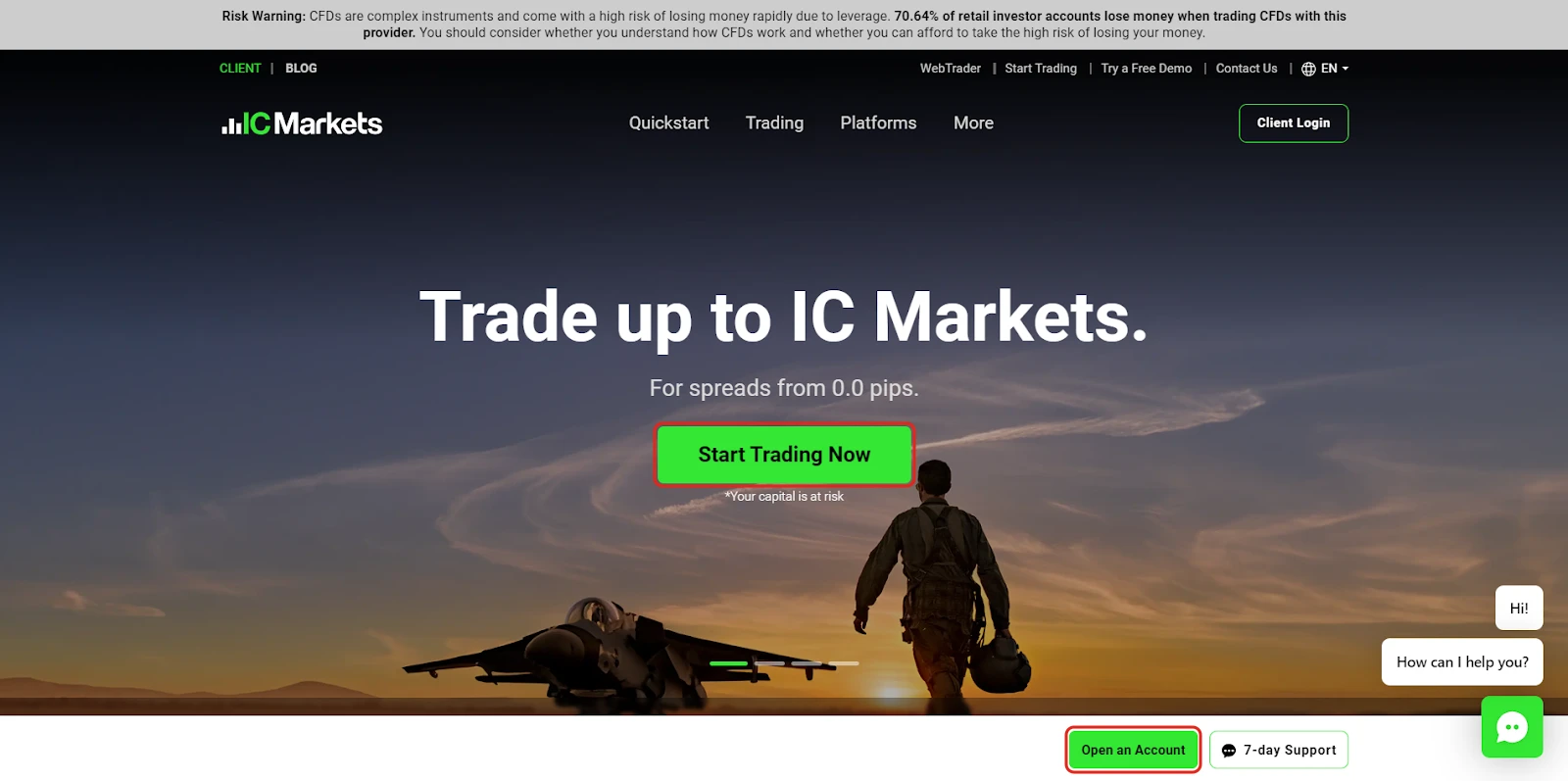
Traders without an account need to open one first, starting from the Open an Account button on the IC Markets homepage.
When opening an account, a trader can choose to go through an IB. BackcomHub is an IB of the brokers listed in the BackcomHub rebate table, IC Markets among them, and earns IB commission from those brokers. An account opened with BackcomHub's IB code 91994 receives a rebate of 4 USD per lot on Standard and 2 USD per lot on Raw Spread, paid daily, based on figures dated 18/10/2026. How the rebate arises is explained in what is backcom, and traders whose account already sits with another IB can read how to switch IB.
Step 2: Open Withdraw and add a bank
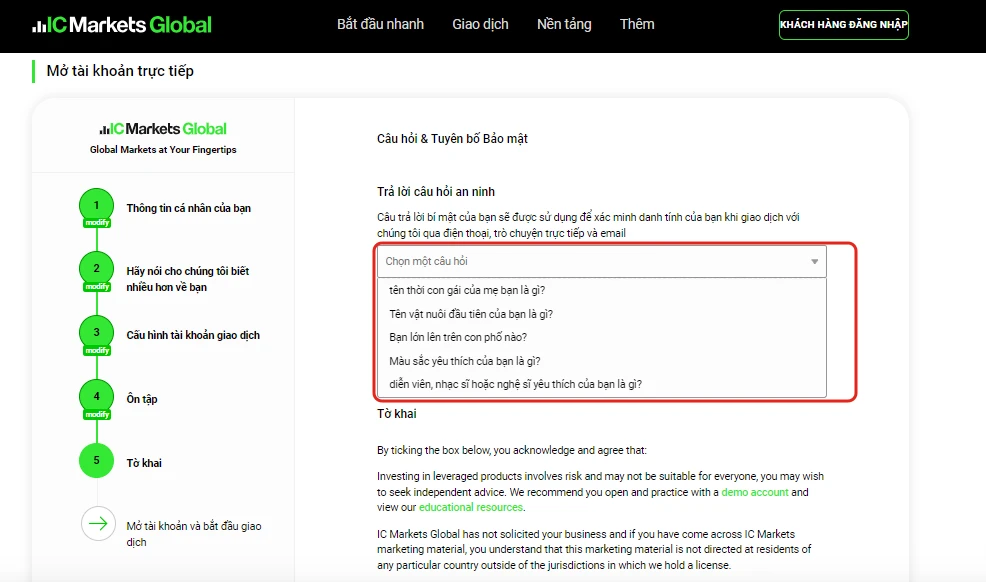
After logging in, the trader goes to the profile management area and selects Withdraw. On the screen that appears, the trader clicks Add bank details. The trader then fills in the bank account fields the broker requests, and should enter them exactly as they appear on the statement so the later comparison does not fail.
Step 3: Choose the document type
When the system asks for the type of document, the trader selects the one related to a bank account or payment method. Picking an identity or proof-of-address category by mistake can leave the statement filed in the wrong place and force a resubmission.
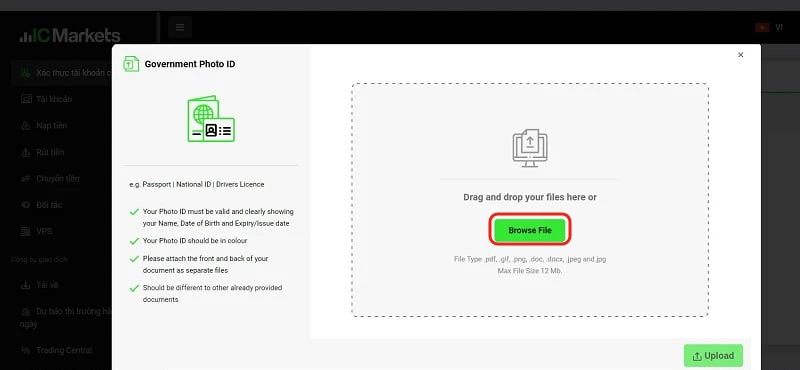
Step 4: Upload the statement file
At this step the trader selects the prepared statement from a computer or phone. The following image shows a document upload box in the IC Markets client area, captured in the identity document section, to illustrate the Browse File button used to pick a file; the section name and fields for bank documents may differ.
Step 5: Wait for review
After the upload, the document needs time to be checked. If the file meets the standard and the details match, bank account verification goes through smoothly. If the document is rejected, the trader should read the email or client area notification for the reason, prepare a corrected file and upload it again.
How long review takes
Review time depends on two things: the quality of the document and how many cases the processing team is handling. For a clear file with matching details and nothing missing, IC Markets usually completes processing within about 24 hours.
A blurred file, missing details or a mismatched name, by contrast, leads to rejection. Each resubmission adds another wait, so the total time can stretch considerably. A few minutes spent checking the file before uploading therefore tends to save much more time later.
Frequently asked questions
Is a statement mandatory?
Yes, when the system asks for one, especially on the first withdrawal to a Vietnamese bank or the first use of wire transfer. In those cases the trader must provide a statement so the broker can verify the receiving account before the withdrawal is processed.
Can a screenshot of the banking app be used?
It can, provided the image is clear and shows the account holder's name, account number and bank name. Even so, a PDF statement looks more official and is easier to check, so it remains the preferred option.
Does the statement have to show the balance?
Not necessarily. The statement exists to verify the account, so the three key details are the account holder's name, account number and bank name. If the file also contains a balance or unrelated transactions, the trader must make sure that hiding them does not obscure the part used for verification.
Can a wrong statement get the account locked?
Normally an invalid document is simply returned with a request to resubmit. Traders must never alter, forge or knowingly submit false documents, however, because that is an entirely different matter from accidentally sending a blurred file.
Key points
A bank statement is the document IC Markets uses to verify the account receiving a withdrawal, and it is usually requested on the first withdrawal or when a trader adds a new bank account. A valid statement must clearly show the account holder's name, account number and bank name, and it must be recent, sharp and unedited. Traders can obtain one from the bank's app, internet banking or a branch, then upload it to the bank document section to avoid rejection and long waits.
Sources
- IC Markets, official website: https://www.icmarkets.com/
- BackcomHub rebate table, IC Markets figures dated 18/10/2026, sourced from dctoptrade.vn
- DCtoptrade (screenshots): https://dctoptrade.vn/