XM Backcom
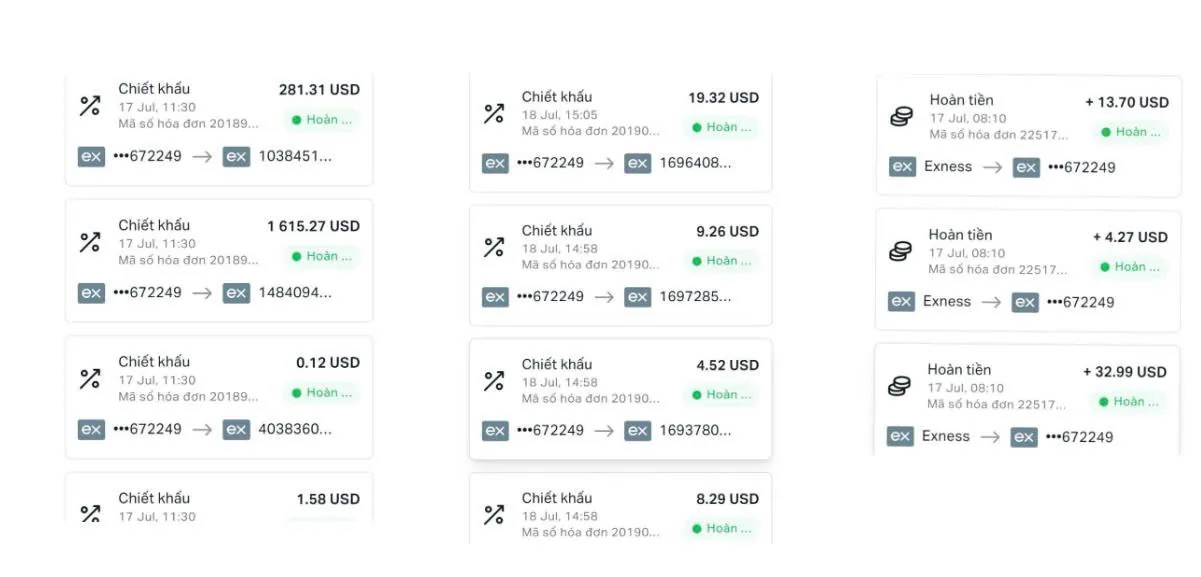
XM backcom is the referral commission an IB passes back to traders. Rates by account type, how to add an account with code BACK100 and common questions.
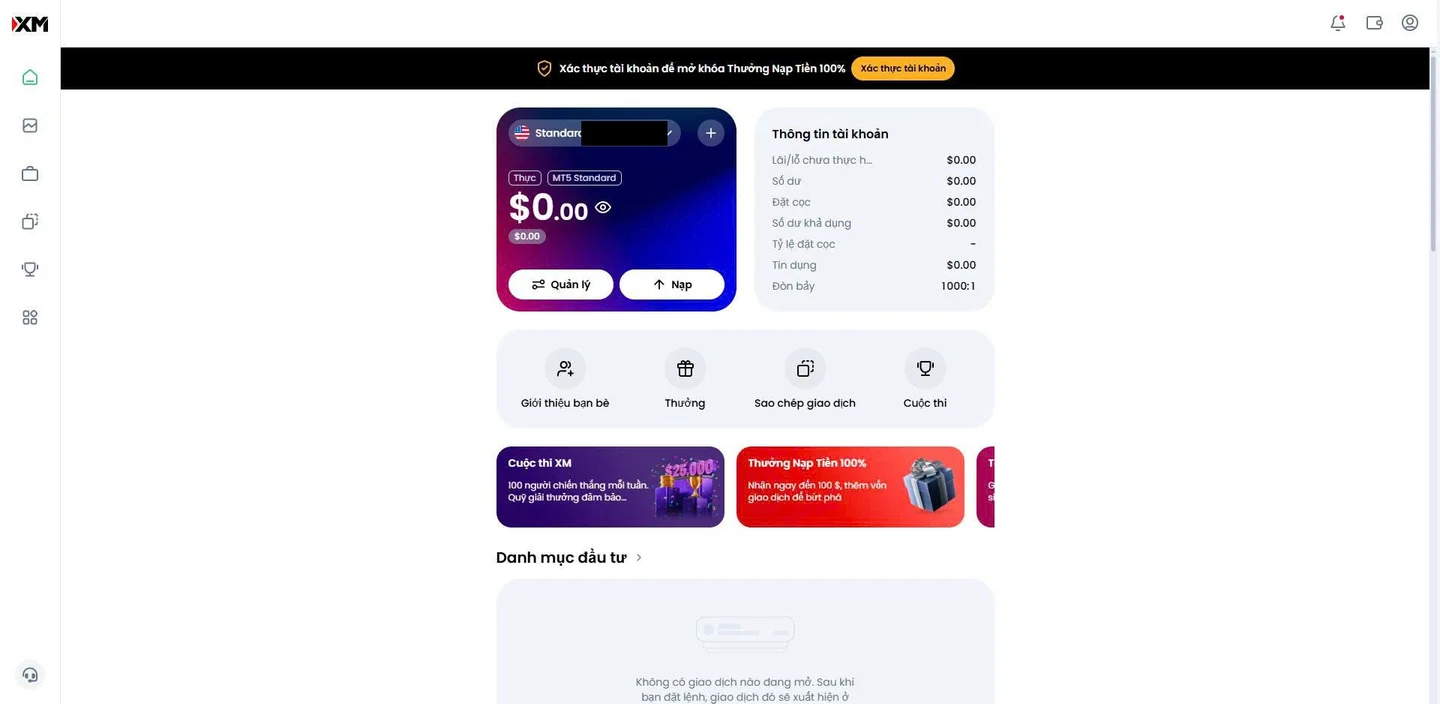
When XM comes up, many Vietnamese traders think first of the 30 USD welcome bonus for new accounts. Alongside that promotion, however, XM runs a partner programme, and that programme is the source of backcom, the share of fees returned to traders after every trade.
The sections that follow give a short introduction to XM, explain where backcom at this broker comes from, and walk through attaching a partner code for traders with and without an existing account. How XM records the referring partner is covered in more depth in how the XM partner programme works.
XM at a glance
XM is a large online trading broker in the international market, offering several groups of products. Specifically, traders can trade forex and CFDs on stocks, commodities, indices and energy, where a CFD (contract for difference) means trading on price movements without owning the underlying asset. Thanks to competitive conditions and solid technology, the broker attracts investors from many countries.
XM's platforms run on desktop computers, phones and tablets, so traders can follow the market from anywhere. Its customer support works 24/5, meaning throughout the weekdays when markets are open. XM is also known for low spreads and low or zero trading fees on many accounts. The broker also offers educational material, market news and analysis tools. Because conditions can change, traders should check them again on XM's official website before opening an account.
Where XM backcom comes from
Backcom at XM is a form of rebate, but more precisely it is referral commission paid back to the trader. When an IB (introducing broker), the party that refers clients, brings a trader to XM, the broker pays the IB commission based on the trader's volume. An IB with a rebate scheme passes most of that amount back to the trader.
As at Exness, XM's partner commission is split into several levels, and the higher the level, the more the IB earns per lot. The rebate a trader receives therefore depends on the IB's level and on how much the IB shares. At XM, BackcomHub lists rebates in USD per executed lot, split by account type; figures are dated 10 November 2026 and paid daily:
| Symbol | Standard & Micro (USD/lot) | Ultra Low (USD/lot) |
|---|---|---|
| EUR/USD | 8.1 | 3.15 |
| GBP/USD | 9.1 | 3.2 |
| AUD/USD | 8.1 | 4.5 |
| USD/JPY | 8.1 | 2.7 |
| USD/CAD | 8.1 | 4.5 |
| NZD/USD | 9 | 7.2 |
| Gold XAU/USD | 15.3 | 9 |
| Silver XAG/USD | 81 | 27 |
| BTC/USD (CFD) | 18 | 7.11 |
| ETH/USD (CFD) | 1.31 | 1.13 |
Standard & Micro rates are higher because the base costs of those accounts are also higher than Ultra Low. Traders should therefore compare total cost after the rebate, not just the rebate figure.
Traders who already have an XM account
Existing XM clients do not need a new profile; they simply open an additional trading account with a partner code attached, in six steps:
Steps 1 and 2: go to XM and log in
The trader opens XM through the link on the BackcomHub home page instead of typing the broker's address. The trader then chooses Log in with the existing account.
Step 3: add a trading account
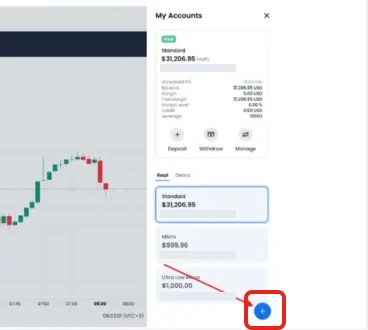
In the My Accounts table, the trader clicks the plus button to open an additional trading account.
Step 4: choose the account type
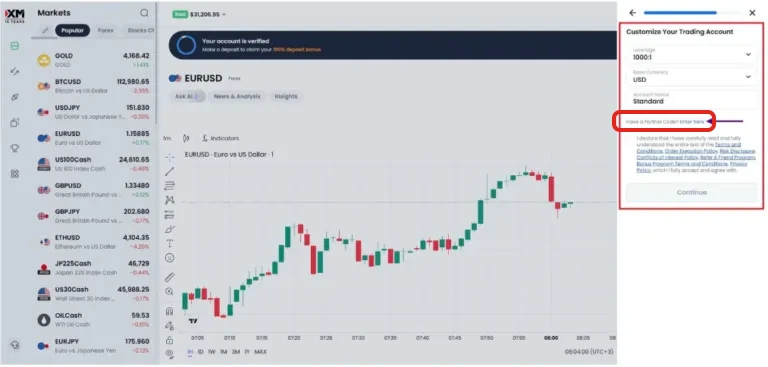
The trader picks a suitable platform and account type, then clicks the line asking about a partner code to open the code field.
Step 5: enter code BACK100
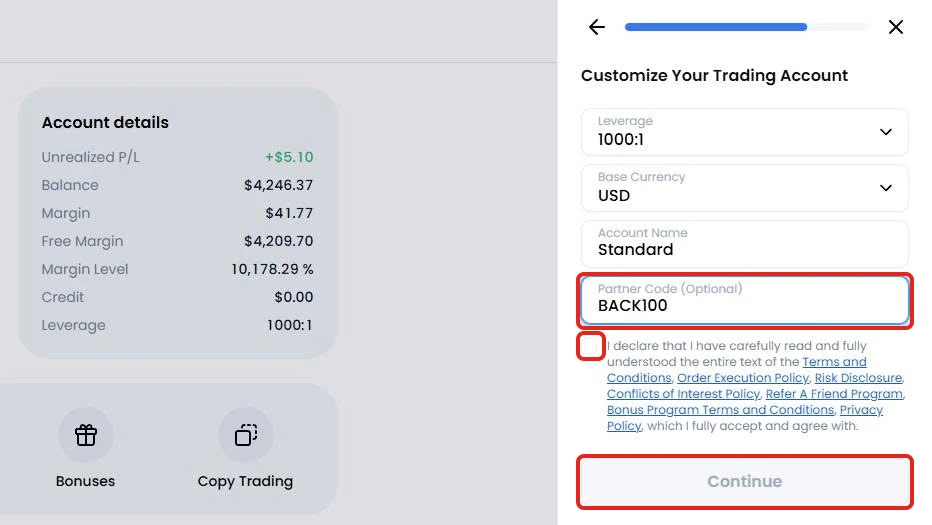
In the field that appears, the trader enters BACK100, BackcomHub's XM partner code, and chooses Continue. If this field is skipped, the new account sits outside the backcom programme and its trades earn no rebate.
Step 6: set a password and finish
The trader sets a password for the new account and clicks Finish. XM then issues an account ID, and trading can start straight away.
Of the six steps, step 5 is the one that decides the outcome. In addition, the old account opened directly still does not count, so traders who want to move that account to an IB can read how to switch IB.
Traders without an XM account
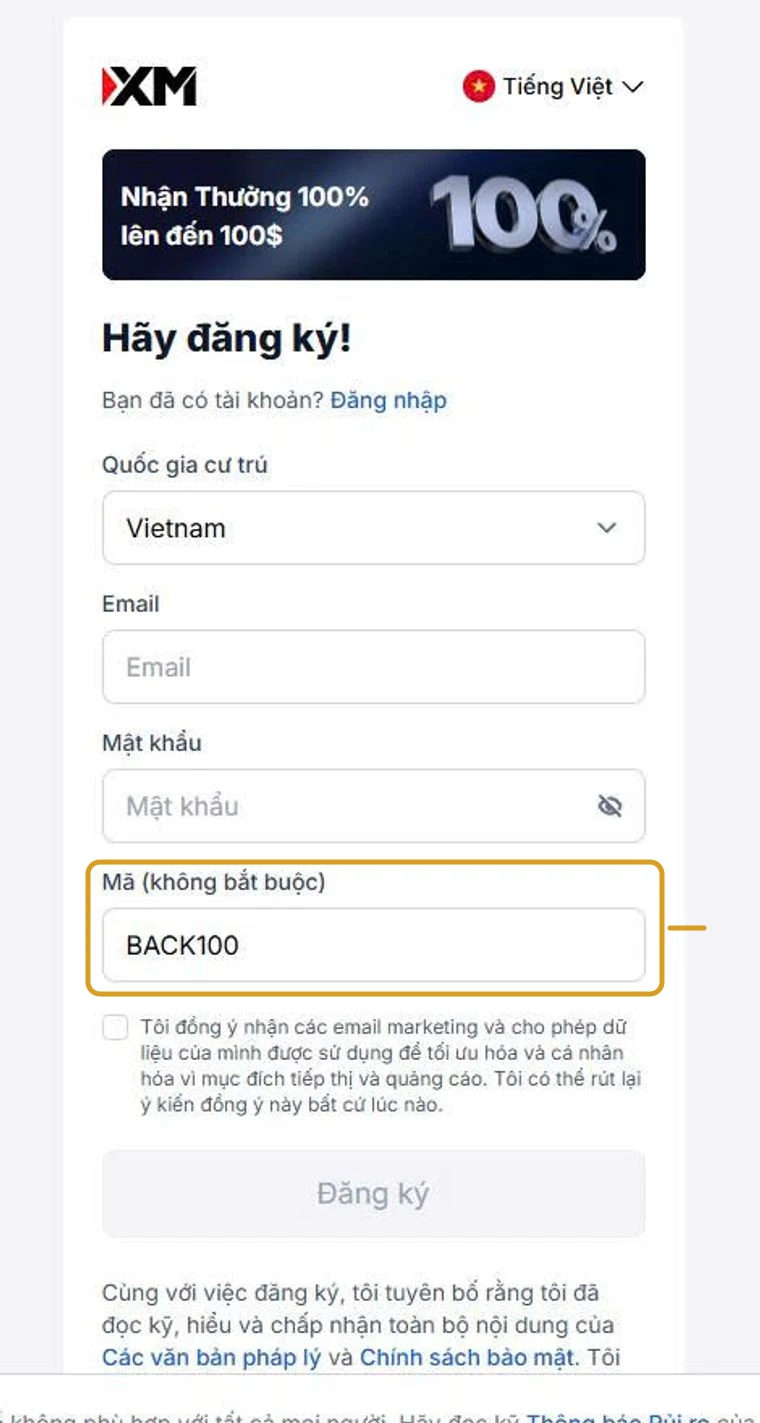
New clients have it easier, because the partner code goes in at sign-up. The trader goes to XM through the link on BackcomHub, fills in the details as usual, then enters BACK100 in the partner code (Partner Code) field on the form.
BackcomHub is an IB of the brokers in its rebate table, XM among them, and receives IB commission from them; the rebates paid to traders come out of that commission. Traders who run into problems during sign-up can contact BackcomHub by Telegram or by the email listed on the home page.
Frequently asked questions
What is XM backcom?
XM backcom is the return of part of a trader's trading fees. It comes out of the commission XM pays the referring partner, not out of extra money the broker puts up.
How much is the XM rebate?
The rate depends on the IB's level and on the share the IB agrees to pass on. For BackcomHub, the exact rates by symbol and account type are in the table above, dated 10 November 2026.
How soon is backcom paid?
According to the BackcomHub rebate table, XM rebates are paid daily. They are calculated automatically on closed trades in accounts carrying code BACK100, so traders do not need to submit a request.
Is backcom safe?
The account is linked through the partner code when it is opened, so traders never have to send a password or extra details to the referring partner. Deposits, withdrawals and trades all stay in the trader's own account at XM.
Does it cost anything extra?
No, because backcom is simply referral commission being shared. Spreads and account fees are exactly the same as when opening directly, and the rebate is extra money the trader receives after trades close.
Sources
- BackcomHub rebate table, XM figures dated 10 November 2026, sourced from dctoptrade.vn: /
- DCtoptrade (screenshots): https://dctoptrade.vn/
- XM, official website: https://www.xm.com/