Deposits and Withdrawals at IC Markets
Funding an IC Markets account in four steps, withdrawing in two with a bank document, processing times by channel, deposit fees and three common questions.
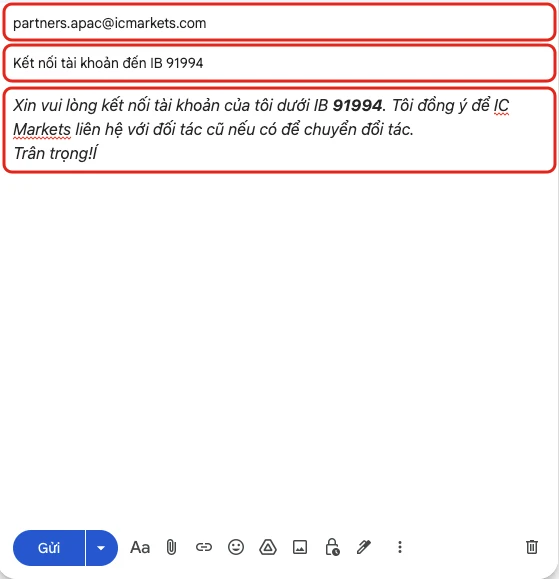
Moving money into a trading account and taking profits back to a bank is something every trader has to do. At IC Markets, both tasks sit inside the client area, yet newcomers still stumble over small details such as bank details that do not match the profile or a confirmation email left unclicked.
The sections that follow cover the safety of client money, the four deposit steps, the documents to prepare, the two withdrawal steps and processing times. They end with opening an account through an IB to receive rebates and three frequent questions.
How safe client money is
IC Markets is a Forex and CFD broker headquartered in Australia and regulated by ASIC, the Australian Securities and Investments Commission, a highly regarded financial supervisor. Because of that oversight, client deposits, withdrawals and trading take place within a strict framework, so the risk of fraud is much lower. The broker also uses SSL encryption to protect personal data and payment information.
In addition, client money is held separately from the company's operating capital. This means that if the broker ran into financial trouble, traders' margin would not be mixed with the firm's own assets.
On payment channels, IC Markets accepts bank transfer, Visa and MasterCard, and the Skrill, Neteller and PayPal wallets, depending on the country. In general terms, deposits usually arrive at once, while withdrawals take from a few hours to one or two business days depending on the channel.
Four steps to deposit
Before depositing, the account must have completed identity verification, meaning the trader has uploaded identity documents and the broker has approved them.
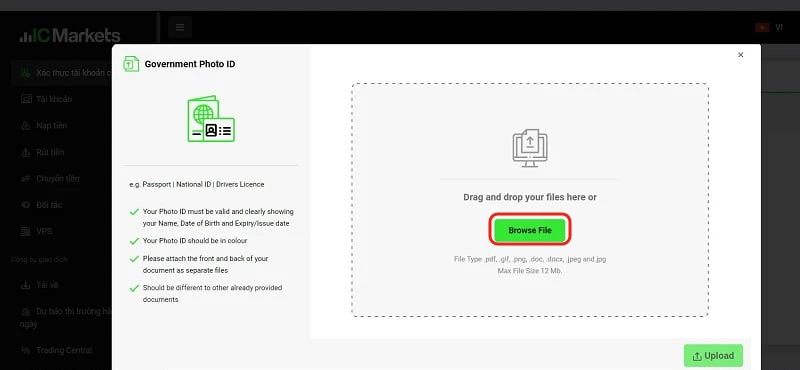
Step 1: Log in to the client area
The trader logs in with the registered email and password, preferably on a personal device. This is where every trading account, document and money transfer is managed.
Step 2: Open the Deposit section
The Deposit item sits in the left-hand sidebar. After clicking it, the trader picks a suitable payment channel from the list that appears.
Step 3: Enter payment details
The system shows a form in which every field must be filled. The key point is that the paying account must be in the same name as the person who opened the profile at the broker, so funding from a relative's account is a bad idea.
Step 4: Transfer using the details provided
After confirmation, IC Markets displays the beneficiary name, the receiving account number and the amount to send. The trader opens a banking app, transfers exactly those details and changes nothing, since even a small mismatch stops the system from matching the payment.
For most channels, funds arrive in about 5 to 10 minutes. A bank transfer, or money moved over from another broker, can take 2 to 5 business days, so the "deposits arrive at once" line in the previous section should be read as the typical case only.
Documents needed before withdrawing
Before the first withdrawal to a bank, traders should have a statement or a bank-issued letter confirming the account holder's name and account number. The broker also accepts a screenshot of the banking app, as long as it shows the bank's logo together with the name and account number.
What a statement must contain, where to get it and where to upload it are covered in uploading a bank statement for IC Markets withdrawals. Preparing the file in advance keeps the first withdrawal from stalling for lack of paperwork.
Two steps to withdraw
With the paperwork ready, a withdrawal takes just two steps. Even so, the second one is often forgotten.
Step 1: Create the withdrawal request
The trader goes to Withdrawal in the left-hand sidebar and completes each field the screen asks for. The bank details entered here should match the document prepared earlier.
Step 2: Confirm by email
After submitting, the trader opens the mailbox used when the account was created and clicks the confirmation button in the broker's message. If that message is ignored, the request cancels itself once the waiting period expires and has to be created again.
How long a withdrawal takes
The payments team normally approves withdrawals within 8 to 12 business hours, counting Monday to Friday only. Requests placed late at night or over the weekend wait until the next business day to be approved. Card withdrawals can take 3 to 5 days, so a trader who needs money urgently should submit early on a business day and use a channel other than a card.
Opening an account through an IB for rebates
Traders without an IC Markets account can open one through an IB, a partner that refers clients to the broker. BackcomHub is an IB of the brokers listed in the BackcomHub rebate table, IC Markets among them, and earns IB commission from those brokers. Based on figures dated 18/10/2026, an account opened with IB number 91994 receives a rebate of 4 USD per lot on Standard and 2 USD per lot on Raw Spread, paid daily.
The sign-up steps are in signing up for IC Markets backcom via BackcomHub, while licences, account types and fees are examined in the IC Markets review.
Frequently asked questions
Must withdrawals return to the account used for deposits?
Yes. The broker only sends money back to the account that funded the trading account, a rule that keeps clients safe and keeps the flow of funds in line with IC Markets' policies.
Are deposits charged a fee?
Most deposit channels carry no fee on the broker's side. Even so, the bank itself, or a wallet such as Skrill or Neteller, may charge its own fee when money goes abroad.
What happens to a withdrawal placed at night or at the weekend?
The request is still recorded but is only approved once business hours resume. After that, how quickly the money arrives depends on the channel, ranging from a few hours to a few days.
Sources
- IC Markets, official website: https://www.icmarkets.com/
- ASIC, Australian Securities and Investments Commission: https://asic.gov.au/
- BackcomHub rebate table, IC Markets figures dated 18/10/2026, sourced from dctoptrade.vn
- DCtoptrade (screenshots): https://dctoptrade.vn/