Opening an XM Account
Five steps to open an XM account, from the sign-up form and email check to profile details and ID checks, plus common document errors and code BACK100.
Most Vietnamese traders who are new to forex come across XM early on, because the broker has an easy interface, competitive trading costs and plenty of support for beginners. Even so, opening the account correctly the first time, without having verification documents rejected, and getting it activated quickly is where many people get stuck.
The sections that follow first summarise why so many traders pick XM, then walk through the five sign-up steps in the order they appear on screen: the form, email confirmation, profile details and identity verification. They finish with the most common document mistakes and questions about fees, review times and the experience required.
Why many traders choose XM
The first reason is regulation, as XM is overseen by well-known authorities such as the FCA (UK), CySEC (Cyprus) and ASIC (Australia). Supervision by these bodies gives XM more credibility than many other brokers, so traders feel safer depositing, withdrawing and keeping an account for the long term.
Alongside regulation, trading conditions are a plus. XM is known for competitive spreads, meaning the gap between the buy and sell price that a trader pays on each trade, together with fast execution and no requotes. The broker offers several account types for different trading styles; the two main kinds of cost are explained in spread vs commission.
Beginners tend to value XM's support. Specifically, the broker has a library of learning material, free webinars and a Vietnamese-speaking customer service team working 24/5, that is, on every day the market is open. XM also runs frequent promotions and trading bonuses that let traders with little capital try the market; one example is the XM Backcash Promo. For these reasons, XM suits both newcomers and experienced traders looking for a stable broker.
Five steps to open an XM account
The whole process has five steps: the first three create and activate the profile, while the last two add the information needed before the account can deposit, withdraw and trade.
Step 1: Go to the genuine XM website
The first step is to open XM's official website, because only there is the account created on the licensed platform. Traders can arrive through the XM link on the BackcomHub home page or by typing the broker's address, and should avoid unknown links sent by message.
Step 2: Fill in the initial sign-up details
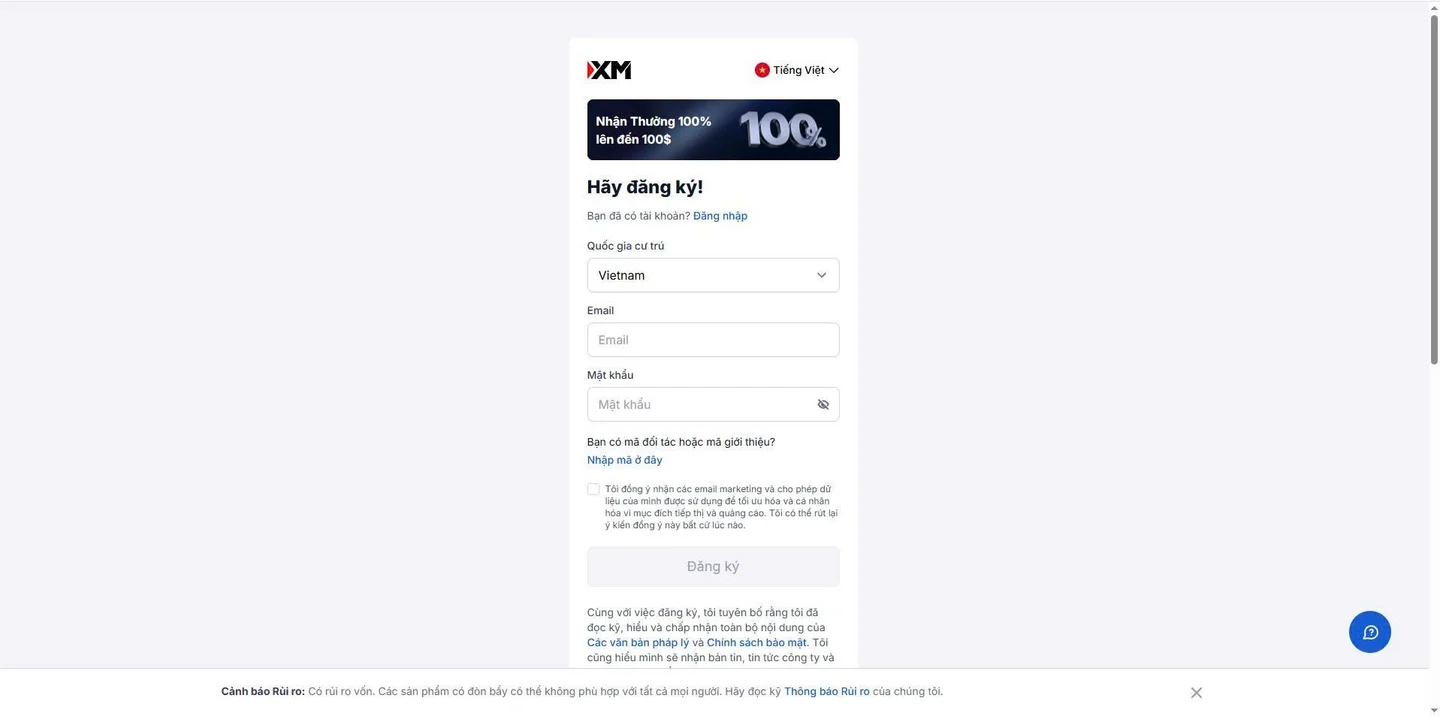
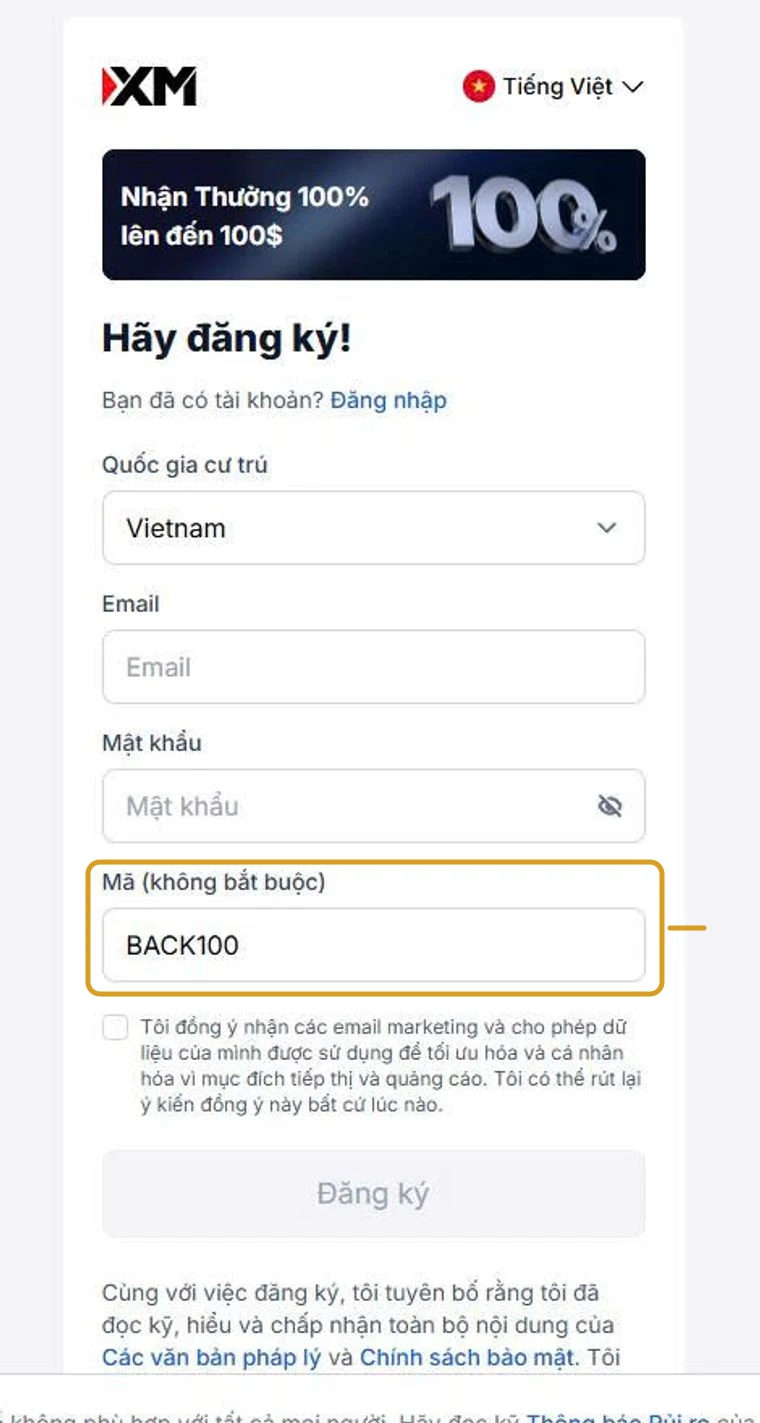
The first sign-up form asks for just three basic items:
- Country: select Vietnam.
- Email: use an active personal inbox; Gmail tends to receive confirmation codes more reliably.
- Password: strong enough, mixing upper-case and lower-case letters, digits and special characters.
The same form also has an optional code field for a partner code. Traders who want rebates through BackcomHub enter BACK100 in that field and then click Register to move on.
Step 3: Confirm the email
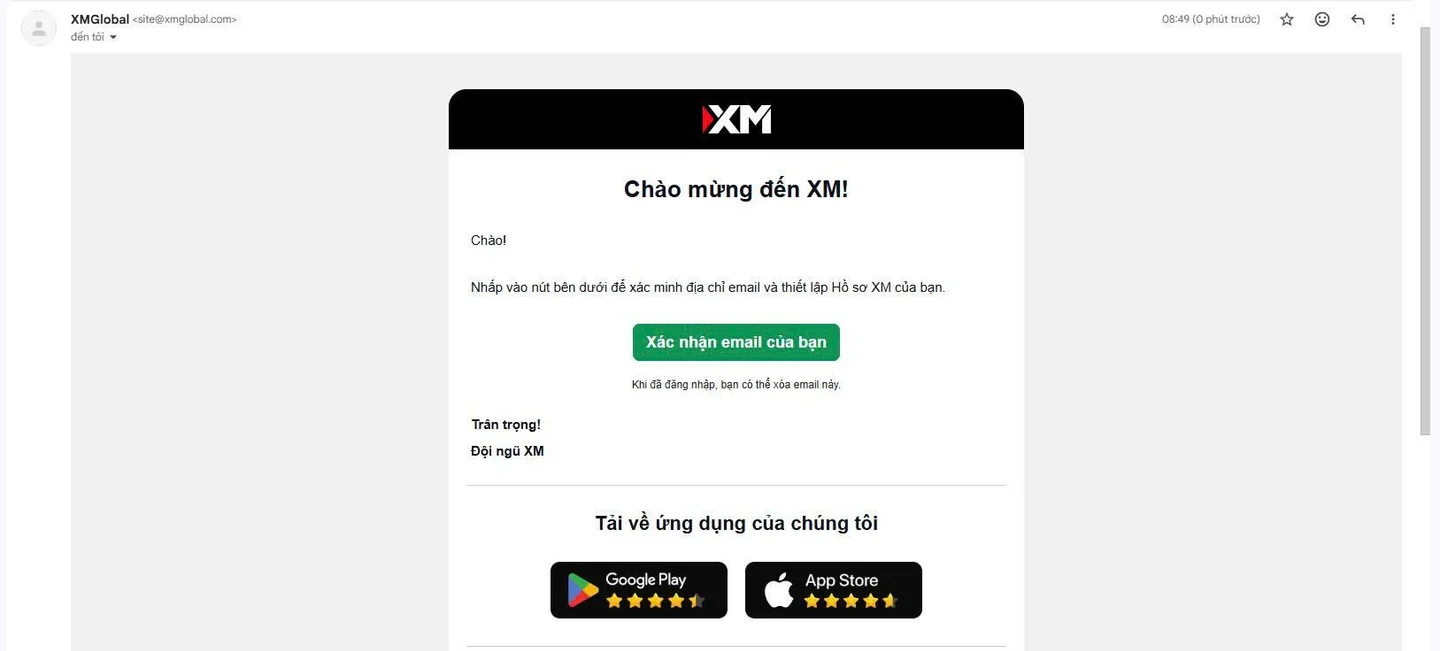
As soon as the form is submitted, XM sends an activation message to the email address provided. The trader opens the inbox, or the spam folder if the message is missing, and clicks the email confirmation button inside. Only after this does the account become active.
Step 4: Complete the personal profile
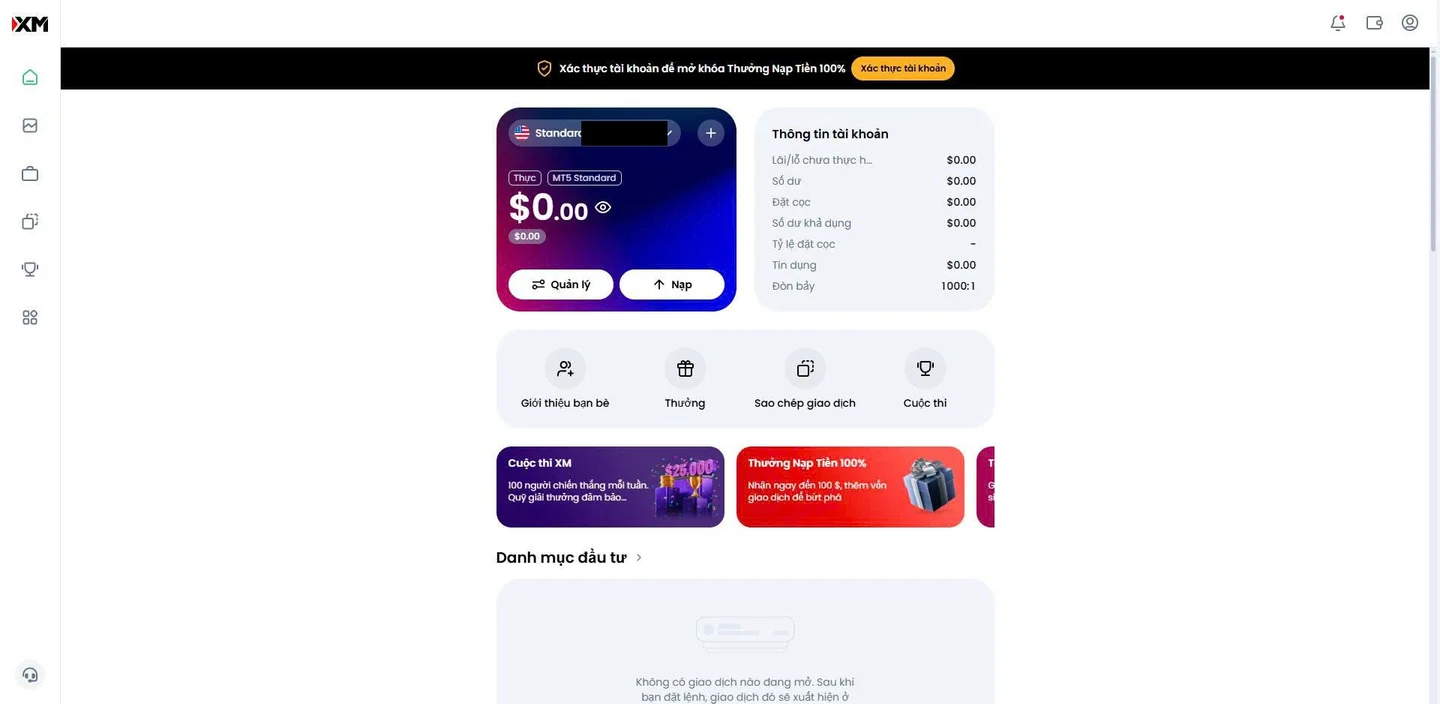
Once the account is active, the trader logs in to the Members Area and selects Verify now. The system first asks for a phone number to send a verification code. After that, the trader fills in the rest of the profile:
- date of birth;
- residential address, which must match the document submitted in the next step;
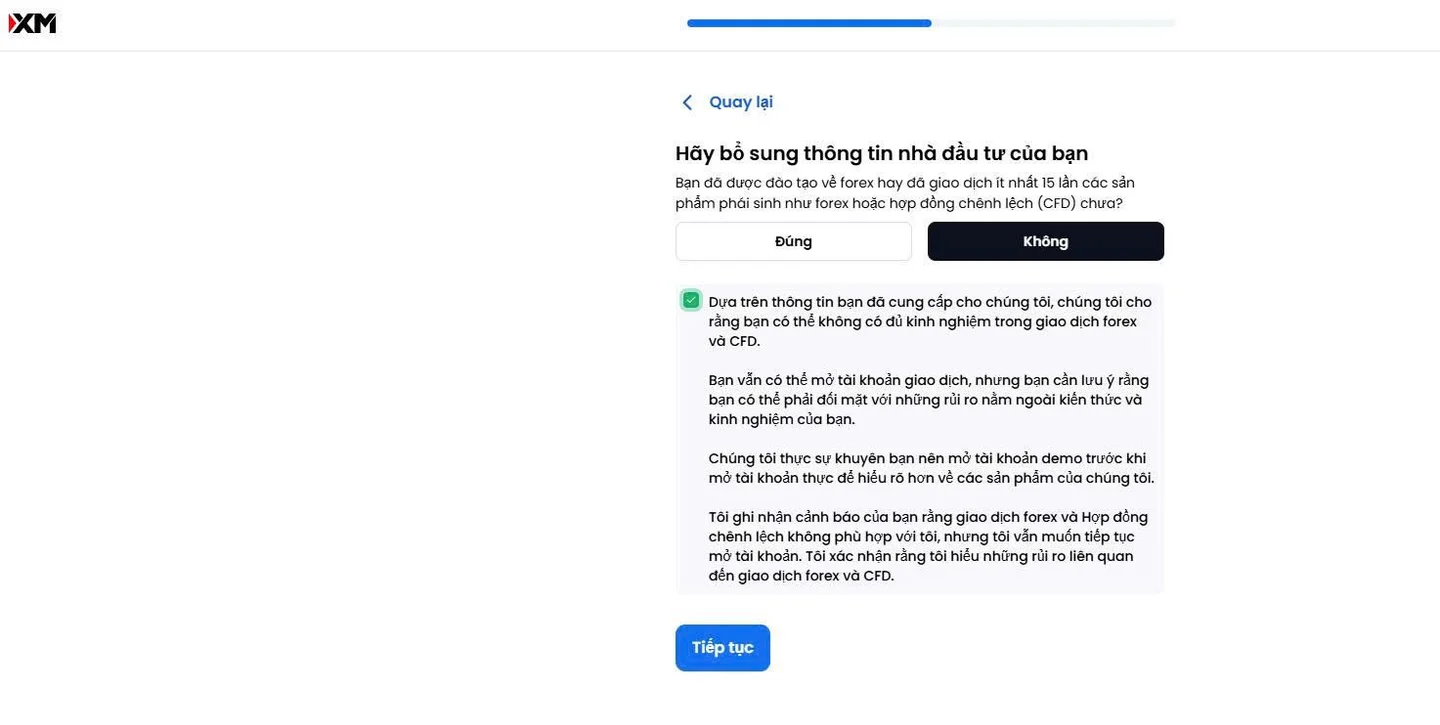
- a set of questions about investment experience.
For the experience questions, beginners only need to answer truthfully. XM may display a warning that the products might not be suitable and suggest a demo account first, but the answers do not block the account from being opened. When done, the trader clicks Continue.
Step 5: Verify identity
Identity verification, known as KYC (know your customer), is the condition XM sets before allowing deposits, withdrawals and trading. Traders therefore need two things:
- a national ID card or passport, photographed clearly on both front and back;
- a portrait photo of the account holder.
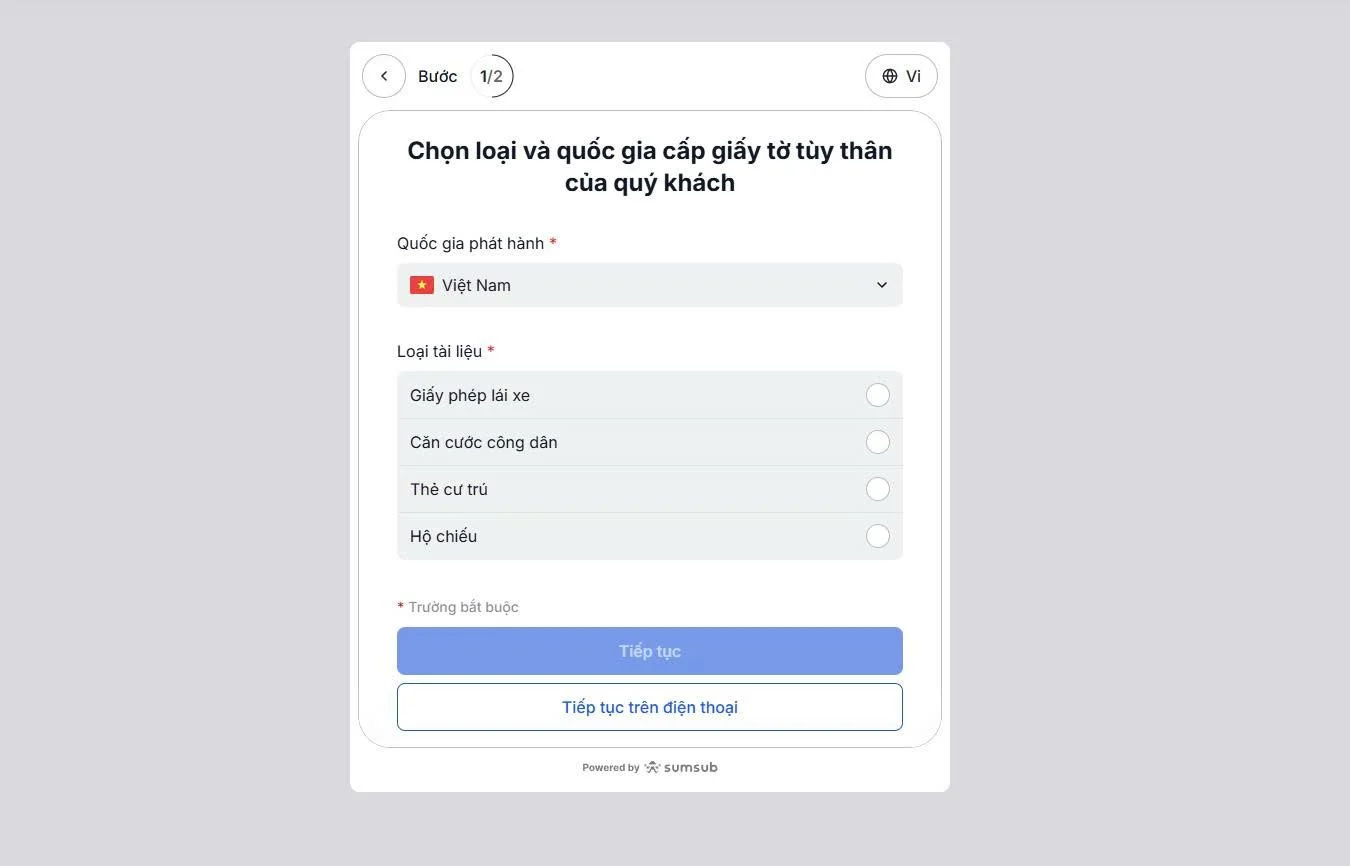
In the Members Area, the trader selects Start verification, chooses the issuing country and document type, then uploads the images from a computer. Alternatively, the XM mobile app can be used to photograph and submit the documents directly.
Common document errors
KYC submissions are usually rejected for one of three reasons, and all three can be avoided by checking before pressing submit:
- Using a domestic driving licence. Although the screen lists a driving licence option, XM only accepts an international licence, so Vietnamese traders should use a citizen ID card or passport.
- Glare or cropped corners. The photo must be well lit, free of reflections and show all four edges of the document.
- Mismatched details. Name, date of birth and address on the document must match the profile entered in step 4 exactly.
Avoiding these three mistakes usually gets the documents approved first time, sparing the trader several extra days of waiting for a second review.
Code BACK100 and rebates
The partner code in step 2 decides which IB (introducing broker) the account belongs to, and therefore whether the trader receives part of the trading fees back. Accounts opened with BACK100 belong to BackcomHub; the rebate is calculated on filled trades and paid daily, at the per-symbol rates listed on the XM backcom page. BackcomHub is an IB for the brokers in its rebate table, XM included, and receives IB commission from them. How XM records partners is explained in how the XM partner programme works.
Overall view
Overall, opening an XM account is not complicated as long as traders complete each step and have valid documents ready. A clear process, transparent verification and a responsive Vietnamese-speaking support team make it comfortable for newcomers and seasoned traders alike. It is the starting point for approaching forex in a structured way, although specific conditions should still be checked on XM's official website before depositing.
Frequently asked questions
Does opening an XM account cost anything?
No, XM charges neither an account opening fee nor a maintenance fee. Costs only arise when trading, in the form of spread or commission depending on the account type.
How long does XM take to review verification documents?
XM usually processes documents within 1 to 3 working days. It can be quicker when the photos are sharp and the details entered are accurate.
Can someone with no trading experience open an XM account?
Yes, beginners can open an XM account without any problem. The broker asks about experience only to assess product suitability, so the answers do not affect opening the account or using the platform.
Sources
- XM, official website: https://www.xm.com/
- BackcomHub rebate table (XM partner code), figures from dctoptrade.vn: /
- DCtoptrade (screenshots): https://dctoptrade.vn/