Opening an Exness Account Step by Step
How to open an Exness account: documents to prepare, the sign-up form and partner code, demo or real, verifying email and phone, the profile and KYC.
For many Vietnamese traders, an Exness account is the first step towards trading forex with an international broker. The sign-up flow is available in Vietnamese, is fairly short and suits both beginners and experienced traders. Even so, a small slip such as picking the wrong country, uploading a blurry document or forgetting the partner code can get an application sent back or force the trader to start again.
The sections that follow work through each task in order: preparing documents, filling in the sign-up form, choosing an account type, confirming the email address and phone number, completing the profile and verifying identity. The final part covers the questions new account holders ask most, such as how long approval takes and what to do when a code never arrives.
What to prepare
Having everything ready beforehand keeps registration smooth and reduces errors at the verification stage. Traders should have the following to hand:
- A working email address: Exness sends verification codes, login notices and security alerts here, so the mailbox should belong to the trader and must not be locked.
- A personal phone number: the broker sends an OTP, a one-time passcode, to this number; using a number registered in the trader's own name helps avoid losing access later.
- A national ID card or passport: this is mandatory for KYC (know your customer identity checks); the original must be valid and photographed clearly on both sides.
- Proof of address, if requested: for example a bank statement, an electricity, water or internet bill, or a residence certificate, ideally issued within the last 3 to 6 months.
- A computer or phone with a stable connection: a reliable line stops document uploads from failing halfway.
With all of this ready, the sign-up itself usually takes only a few minutes. Most of the waiting happens while the broker reviews the documents, so the clearer the photos, the less likely the file is to be sent back.
Step 1: Go to the genuine website or app
The first task is to open the official Exness homepage on a computer, or the Exness app on a phone. Traders should avoid unfamiliar links sent by message or posted on social media, because fake sites often copy the broker's design to capture login details. A safe option is to reach Exness through the sign-up button on the BackcomHub homepage, since that link already carries the partner code.
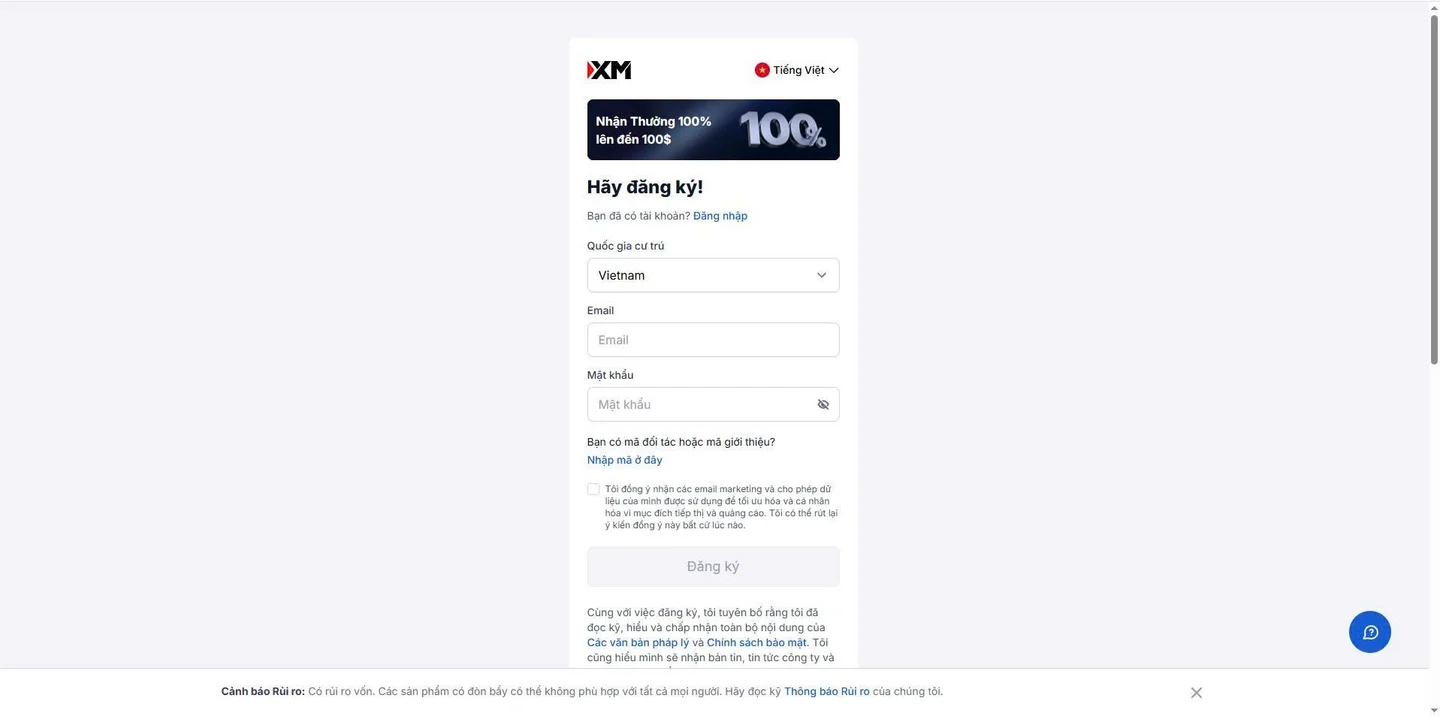
Step 2: Fill in the sign-up form
After clicking "Register", Exness shows a short form to create the profile. The fields to complete are:
- Country of residence: traders living in Vietnam choose Vietnam; this setting cannot be changed later and determines which deposit and withdrawal methods are available.
- Email: the address prepared earlier, used for notices and verification codes.
- Password: 8 to 15 characters, mixing upper-case and lower-case letters, numbers and special characters.
- Partner code: an optional field where the trader enters the referring partner's code to receive the benefits attached to it.
- Confirmation of not being a US citizen: tick this box if it applies to the trader.
Once done, the trader clicks "Continue" to create the profile. Before clicking, it is worth rereading the email address once, because the verification code in the next step goes to exactly that address.
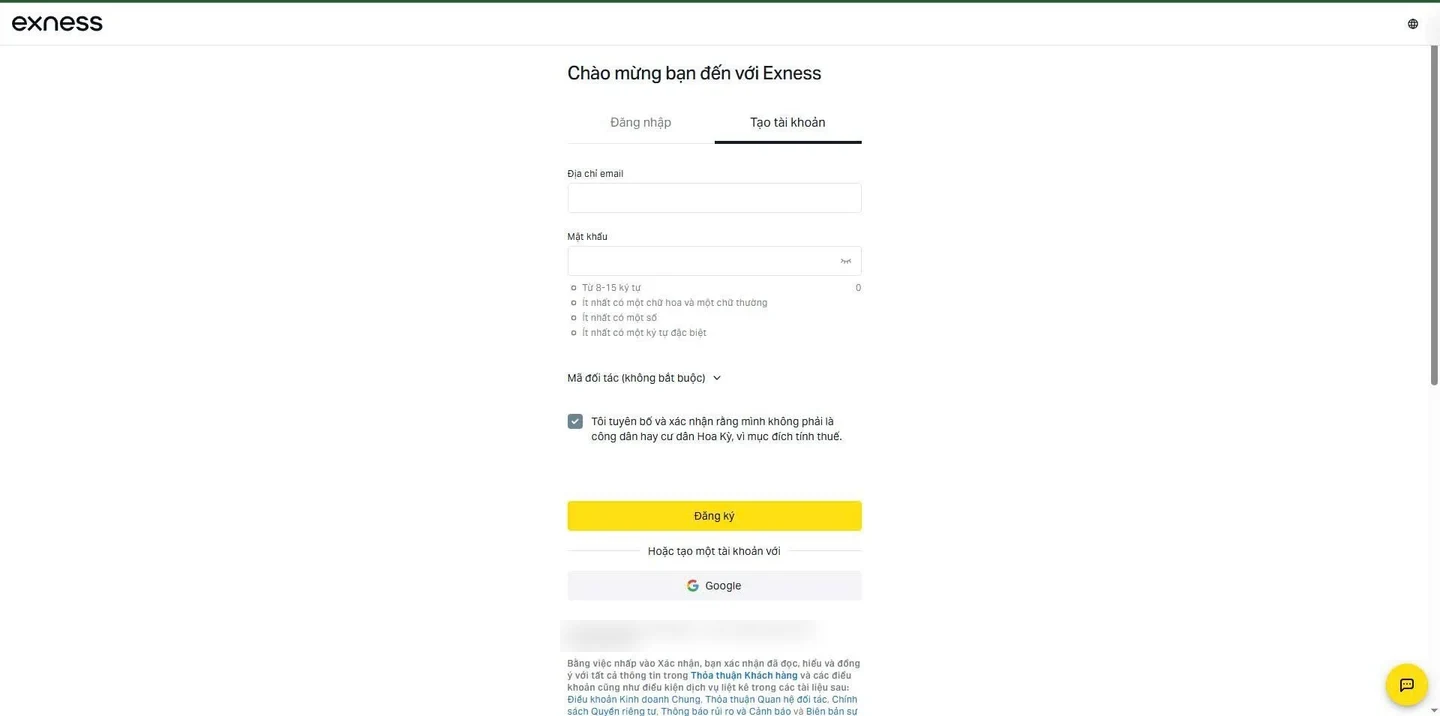
The partner code field decides which IB (introducing broker, the party that refers clients) the account is recorded under. Traders who want Exness rebates through BackcomHub enter the code oc9jb1aix4 in this field, then send their trading account number to BackcomHub via the Telegram or email listed on the homepage to switch the rebate on. BackcomHub is an IB of the brokers listed on the site, Exness among them, and receives IB commission from those brokers; the rebates paid to traders come out of that commission. Rates by account type and symbol are set out in the Exness rebates article, while the Exness partner programme article explains how the model works.
Step 3: Choose a demo or real account
As soon as the profile exists, Exness asks which account the trader wants to start with. A demo (practice) account comes with virtual funds for learning the platform without risking money, while a real account trades with real money.
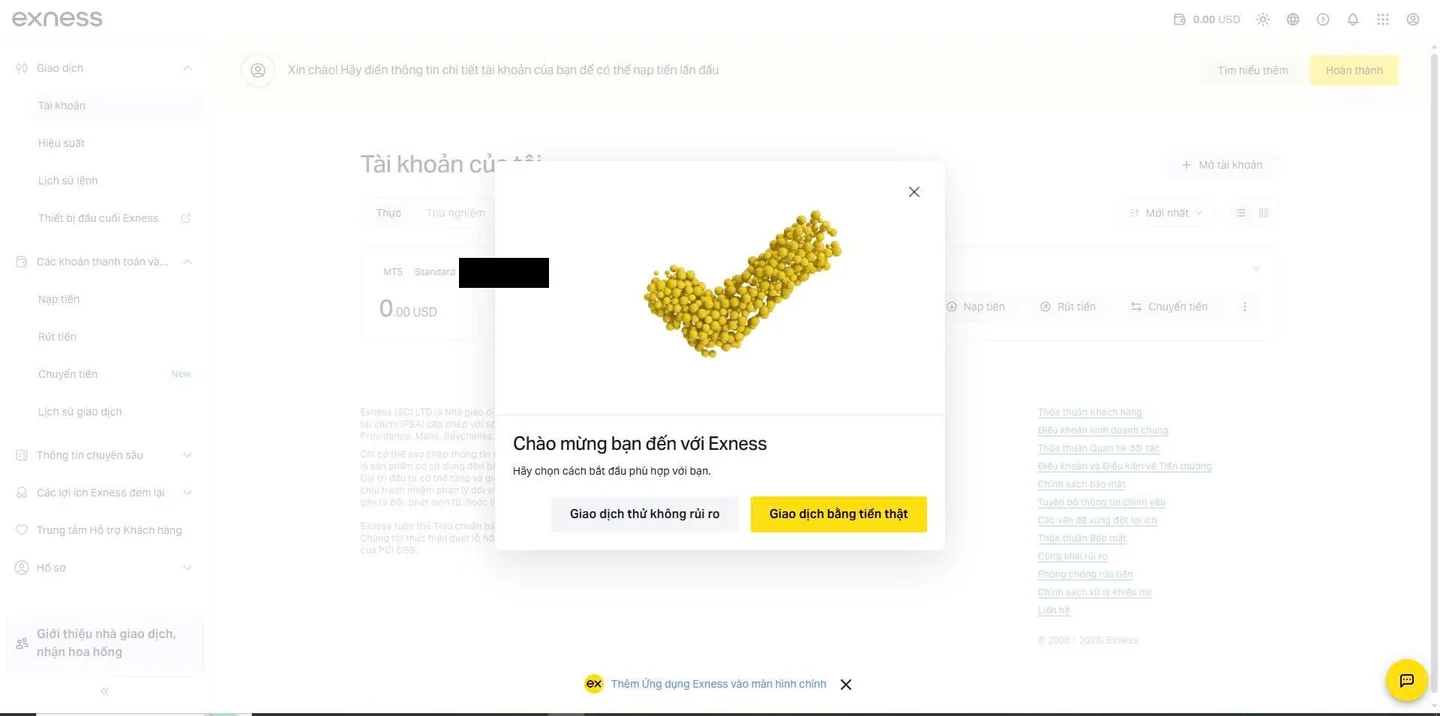
Beginners are better off using demo for a while, until placing orders and reading results feels familiar. On the real side, Exness offers several types to suit different needs and budgets, including Standard, Standard Cent, Pro, Raw Spread and Zero. The costs of the two types aimed at active traders are analysed separately in the Exness Raw Spread account and Exness Zero account reviews.
Step 4: Complete the personal profile
To use every feature of the Personal Area, the trader has to finish three verification parts. When the screenshot was taken, Exness grouped them in a single "Verification steps" panel: confirm the email, confirm the phone number and complete the profile.
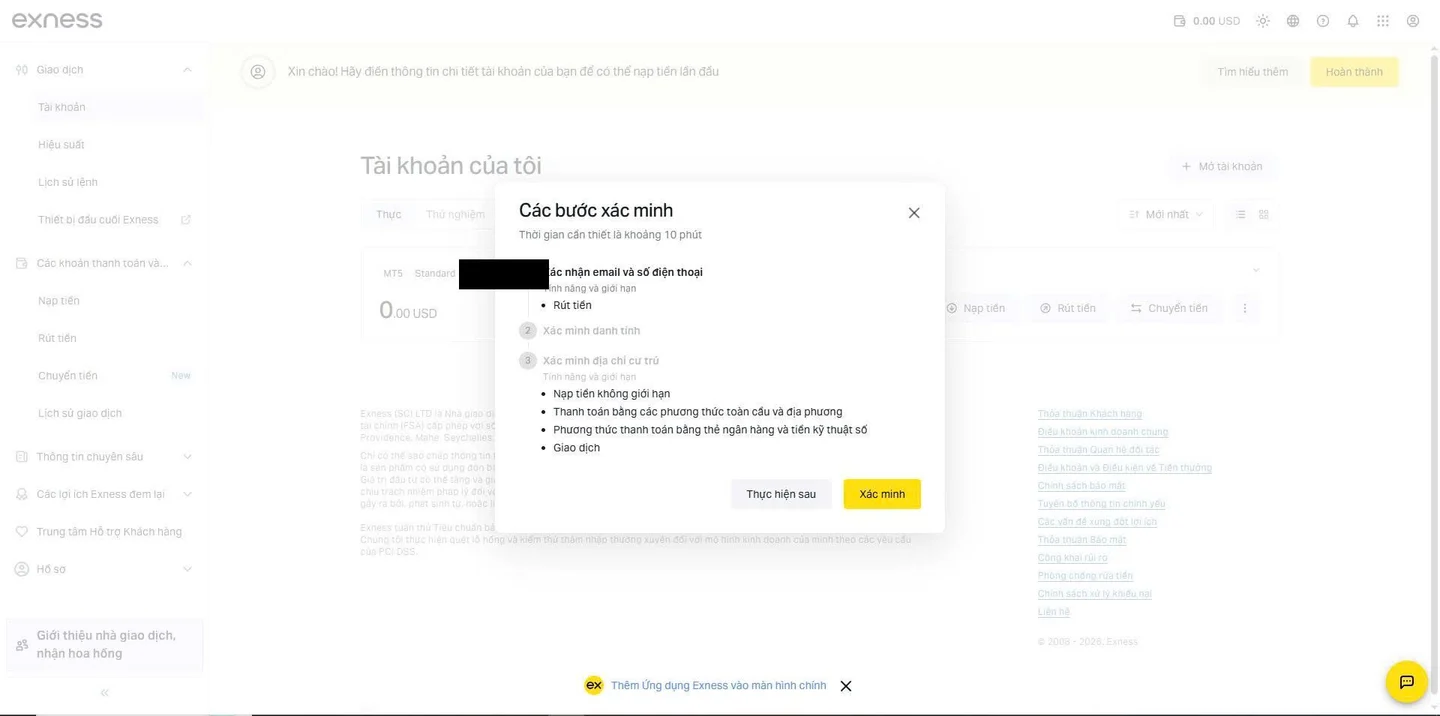
Email verification
First, the trader enters the email address in use, and Exness sends a 6-digit code to that inbox. The trader opens the message, copies the code and types it into the confirmation field to finish this part.
Phone verification
Next, the trader enters the phone number in international format, starting with +84 instead of the leading zero. Exness sends a code to that number, and the trader types it into the required field to complete the check.
Additional profile details
Once the email and phone are confirmed, the broker asks for the personal profile. This covers full name, date of birth and residential address, which should match the document used in the next step. After that, Exness presents a set of questions about occupation, income, trading experience and investment purpose.
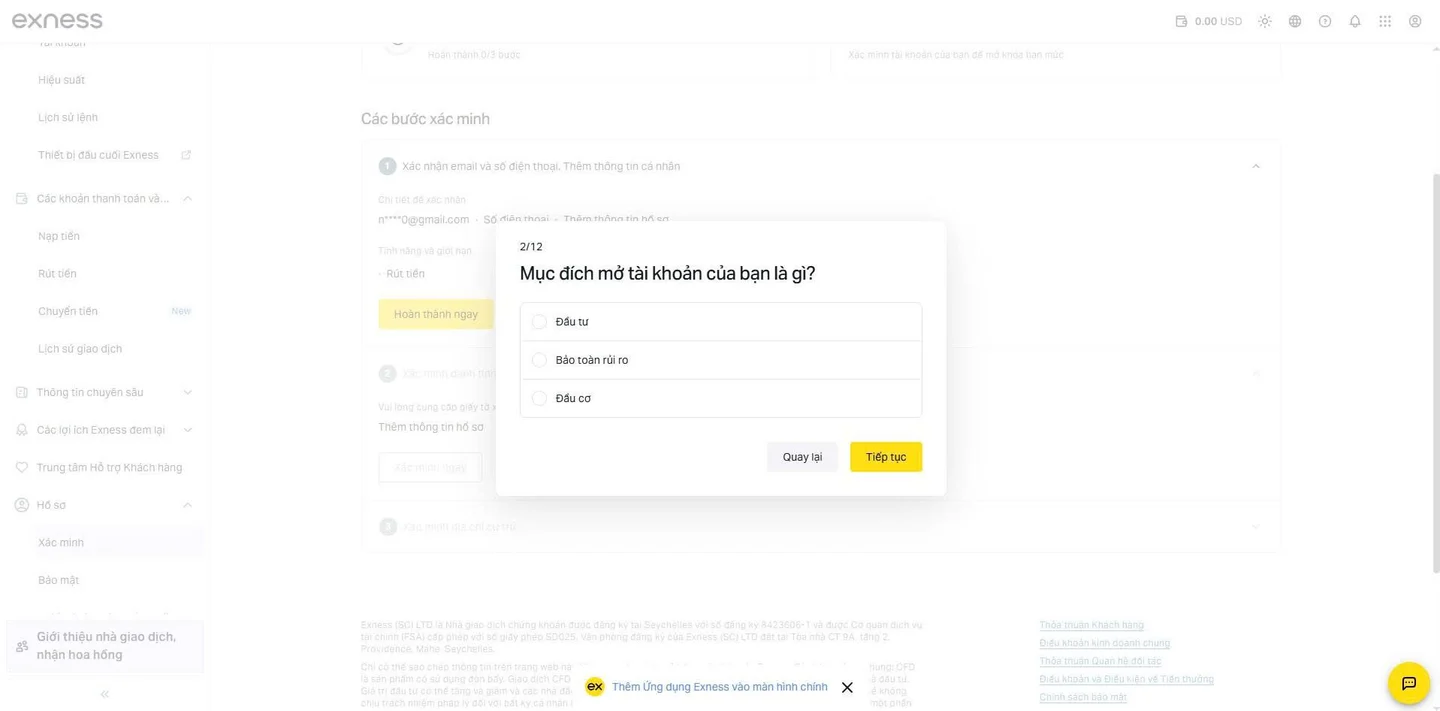
Traders should answer according to their real circumstances, because the broker uses the answers to judge whether its products are suitable. When the questions are done, the system moves on to identity verification automatically.
Step 5: Verify identity
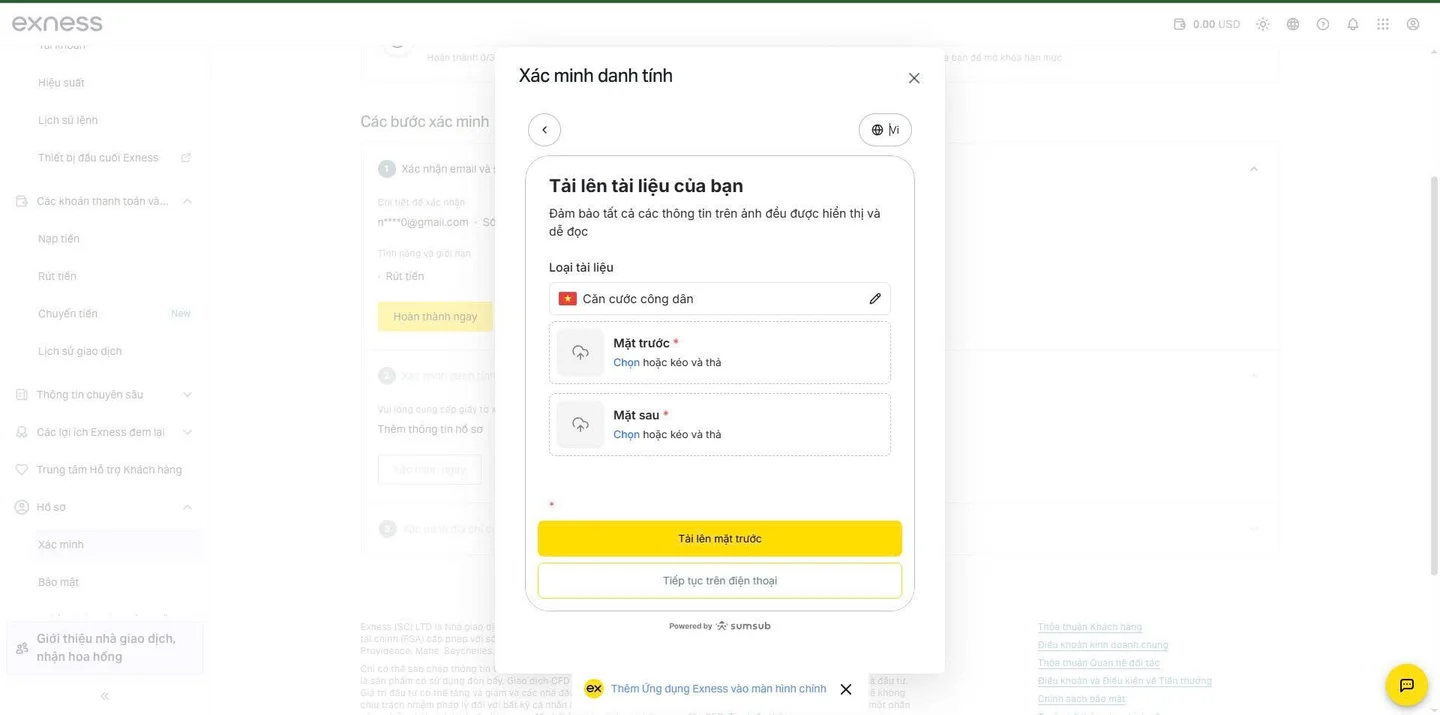
KYC is the last step, and it decides whether the account can receive deposits. The process consists of three tasks in sequence:
- select the country of residence and the document type, such as a citizen ID card, an older ID card or a passport;
- take or upload photos of the document as instructed on screen, making sure they are sharp, show all four corners and have not been edited;
- submit the file and wait for approval, usually within a few hours and at most about 1 to 2 days.
When the status changes to approved, the Exness account can be funded and used for trading. From there, traders can install the platform and log in by following the MT5 Exness download guide.
Frequently asked questions
How long does Exness take to verify an account?
KYC files are normally approved within a few hours. However, at busy times or when the document photos are unclear, the wait can stretch to 1 to 2 days.
Can one person open several Exness accounts?
Each email address and each set of KYC details can be used for only one personal profile. Within that profile, though, a trader can still open several trading accounts, for example one Standard account alongside a Pro, Raw Spread or Zero account.
What if the OTP does not arrive?
This usually has a simple fix. Traders can try the following in turn:
- check the Spam or junk folder when the code is sent by email;
- confirm the phone number was entered in +84 format;
- switch the delivery channel, from SMS to a voice call or the other way round.
If the code still does not come through, the trader should contact Exness support, using the channels listed in the Exness support article.
Can a partner code be added to an existing Exness account?
The partner code can only be entered at registration. For an existing profile, the trader has to ask Exness to change the partner, and the Exness backcom article explains how.
Key points
Opening an Exness account is not complicated as long as the trader follows the right order: register, confirm the email and phone, fill in the profile and then verify identity. Once approved, the trader can deposit and start trading with a broker that supports Vietnamese users well. Before the first deposit, traders should also read the Exness review and check the account conditions on the official Exness website, as those conditions can change. Questions about the partner code or rebates can go to BackcomHub via the Telegram or email listed on the homepage.
Sources
- Exness, official website: https://www.exness.com/
- DCtoptrade, "Mở tài khoản Exness" (screenshots of the sign-up form, verification steps and document upload): https://dctoptrade.vn/huong-dan/mo-tai-khoan-exness/
- DCtoptrade (screenshots): https://dctoptrade.vn/